10 Proven ATS Resume Tips to Get Past the Bots and Land Interviews
What Is an ATS and Why Does It Matter?
If you have ever applied for a job online and never heard back, there is a good chance your resume was filtered out before a human even saw it. The reason? An Applicant Tracking System (ATS).
An ATS is software that companies use to manage the hiring process. When you submit your resume online, it does not go directly to a recruiter. Instead, it passes through the ATS, which scans, parses, and ranks your resume based on how well it matches the job description.
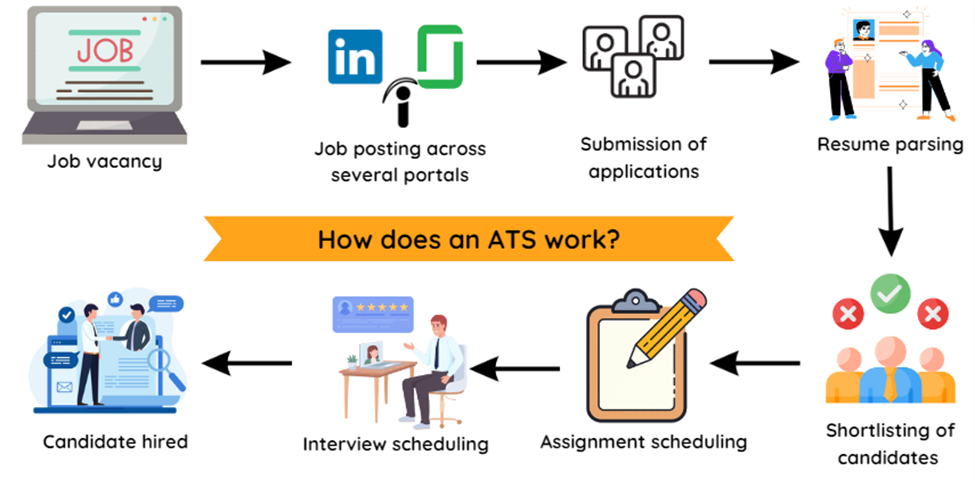
Here is the reality: over 75% of resumes are rejected by ATS before reaching a hiring manager. That means even highly qualified candidates can get filtered out simply because their resume was not formatted correctly or lacked the right keywords.
How ATS Screening Works
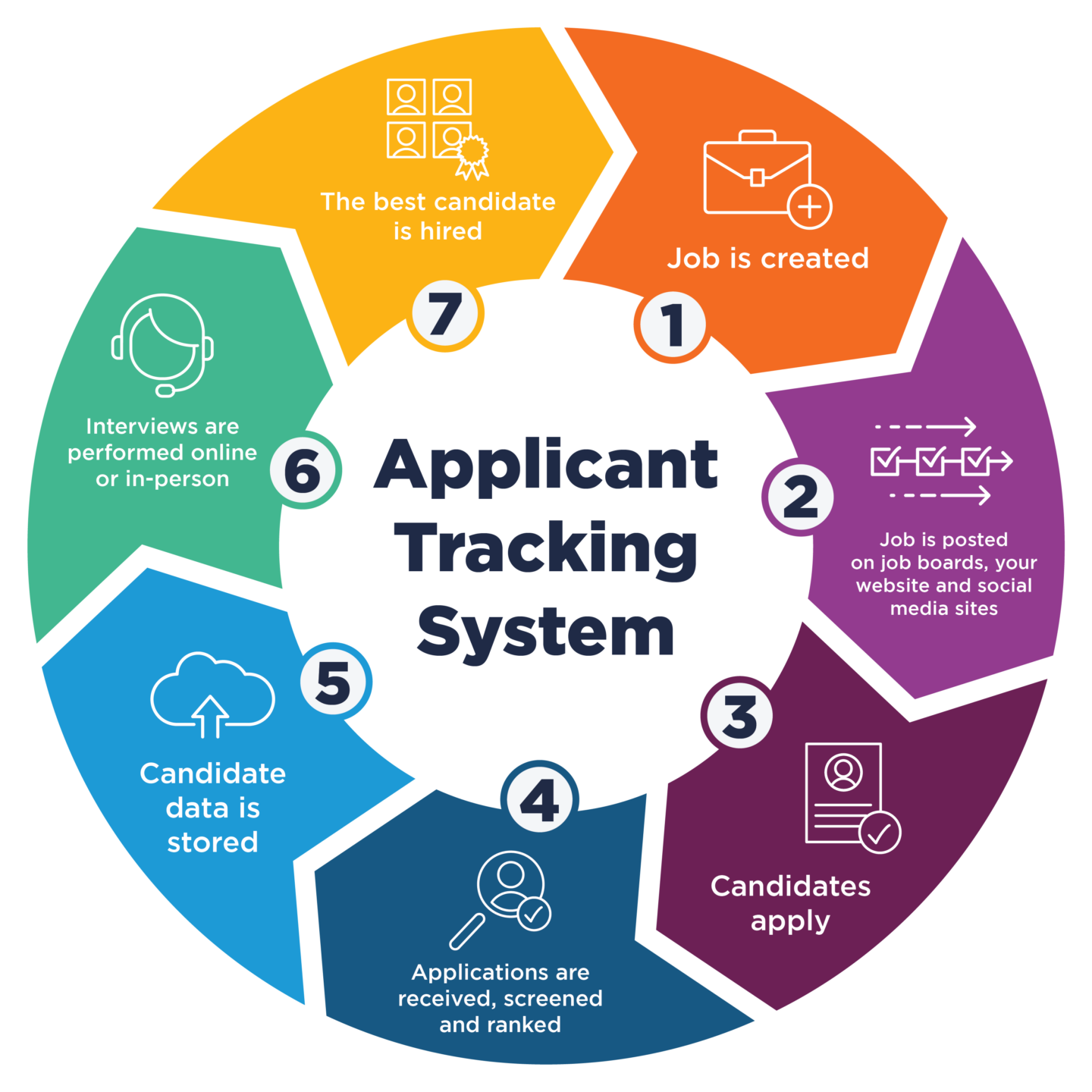
Understanding how the system works is the first step to beating it. Here is a simplified breakdown:
| Stage | What Happens |
|---|---|
| Submission | You upload your resume to a job portal or company website |
| Parsing | The ATS extracts text from your resume and organizes it into fields (name, experience, skills, education) |
| Keyword Matching | The system compares your resume content against the job description keywords |
| Ranking | Resumes are scored and ranked — higher matches get seen by recruiters first |
| Human Review | Only the top-ranked resumes make it to a recruiter's desk |
If your resume cannot be parsed correctly or does not contain the right keywords, it gets stuck at stage 2 or 3 — and you never hear back.
10 Proven Tips to Make Your Resume ATS-Friendly
1. Use a Clean, Simple Format
This is the most important rule. ATS systems struggle with complex formatting. Avoid:
- Tables, text boxes, and columns
- Headers and footers (many ATS cannot read content placed here)
- Graphics, icons, and images
- Fancy fonts or decorative elements
Stick to a single-column layout with clear section breaks. Use standard fonts like Arial, Calibri, or Times New Roman at 10-12pt size.
2. Use Standard Section Headings
ATS software looks for specific section labels to categorize your information. Use these exact headings:
| Use This | Not This |
|---|---|
| Work Experience | Where I Have Worked |
| Education | Academic Journey |
| Skills | What I Am Good At |
| Professional Summary | About Me |
| Certifications | Badges & Credentials |
Creative headings might look nice to humans, but they confuse ATS parsers.
3. Mirror Keywords from the Job Description
This is where most candidates lose points. The ATS matches your resume against specific keywords from the job posting. If the job asks for "project management" and you write "managed projects", some ATS systems may not make the connection.
How to do it right:
- Read the job description carefully and identify repeated skills, tools, and qualifications
- Use the exact phrases from the job posting in your resume
- Include both the full term and abbreviation (e.g., "Search Engine Optimization (SEO)")
- Place keywords naturally in your Summary, Experience, and Skills sections
4. Save Your Resume in the Right Format
Most ATS systems work best with .docx (Microsoft Word) format. While many modern systems can read PDFs, some older ATS still struggle with them.
Best practice: Submit as .docx unless the job posting specifically asks for PDF. If you are unsure, .docx is always the safer choice.
5. Include a Skills Section with Hard Skills
Create a dedicated Skills section and list your technical and hard skills. ATS systems heavily weight this section for keyword matching.
Good example:
Python, SQL, Tableau, Google Analytics, Project Management, Agile Methodology, Data Visualization, A/B Testing, CRM (Salesforce), Microsoft Excel (Advanced)
Bad example:
Hard-working, team player, good communicator, fast learner
Soft skills are important but they do not help with ATS scoring. Save them for your summary or cover letter.
6. Quantify Your Achievements
While this does not directly affect ATS parsing, resumes with quantified achievements rank higher because they contain more relevant context.
| Weak | Strong |
|---|---|
| Managed a team | Managed a team of 12 engineers across 3 time zones |
| Increased sales | Increased quarterly sales by 34% ($2.1M revenue) |
| Improved efficiency | Reduced processing time by 45% through automation |
Numbers catch both ATS algorithms and human eyes.
7. Do Not Stuff Keywords Unnaturally
Some people try to game the system by hiding white text with keywords or repeating the same terms dozens of times. Do not do this. Modern ATS systems can detect keyword stuffing, and even if your resume passes the ATS, a recruiter will immediately reject it.
Use keywords naturally and contextually throughout your resume.
8. Tailor Your Resume for Each Application
One of the biggest mistakes job seekers make is sending the same resume to every job. Each job description is different, and each ATS scan is based on that specific posting.
For every application:
- Adjust your Professional Summary to reflect the role
- Reorder your Skills section to prioritize what the job asks for
- Tweak your Experience bullets to emphasize relevant achievements
This takes extra time but dramatically improves your ATS score.
9. Avoid Uncommon Abbreviations
While common abbreviations like MBA, SQL, or CPA are fine, avoid niche abbreviations that the ATS might not recognize. When in doubt, spell it out first and put the abbreviation in parentheses.
Example: "Certified Information Systems Security Professional (CISSP)"
10. Test Your Resume Before Submitting
Before sending your resume to a real job application, test it. You can use our AI Resume Builder which includes an ATS score checker that evaluates your resume against these exact criteria and gives you a detailed breakdown of what to improve.
Quick ATS Checklist
Before you hit "Submit" on your next job application, run through this checklist:
- Single-column, clean layout with no tables or graphics
- Standard section headings (Work Experience, Education, Skills, etc.)
- Keywords from the job description included naturally
- Saved as .docx format (unless PDF is specifically requested)
- Dedicated Skills section with hard/technical skills
- Achievements quantified with numbers and percentages
- No keyword stuffing or hidden text
- Resume tailored to this specific job posting
- Contact information in the body (not in header/footer)
- Consistent date formatting throughout
The Bottom Line
Getting past an ATS is not about tricking the system — it is about presenting your qualifications clearly in a format that both machines and humans can read. The candidates who understand how ATS works and optimize their resumes accordingly have a massive advantage in today's job market.
Remember: a great resume that never gets seen is the same as no resume at all. Take the time to make yours ATS-friendly, and you will significantly increase your chances of landing that interview.
Ready to check your resume's ATS score? Try our free AI Resume Builder — it analyzes your resume against real ATS criteria and tells you exactly what to fix.
Have questions about ATS or resume optimization? Drop a comment below or reach out to us at [email protected].